Free PRISMA 2020 Flow Diagram Generator Online
Generate a publication-ready PRISMA 2020 flow diagram online for your systematic review. Enter your counts below or click the sample button to preview.
1 Enter Data
2 Your Diagram
Diagram downloaded successfully!
Want to save your counts so you can update or re-export later?
Enter your numbers on the left to generate your PRISMA flow diagram.
Based on PRISMA 2020 Statement
Create a PRISMA 2020 flow diagram online
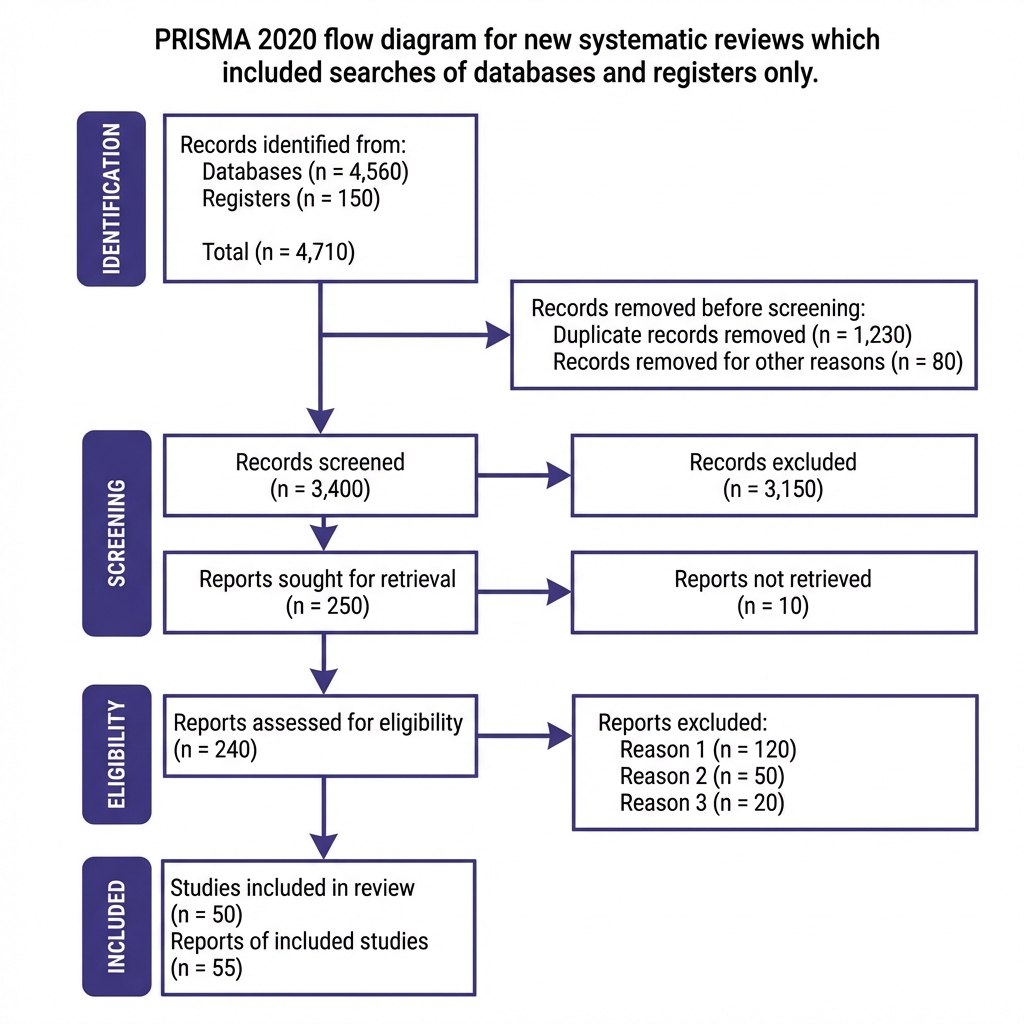
Turn your database search records, duplicate counts, screening decisions, and exclusions into a publication-ready PRISMA 2020 diagram in seconds.
Enter search counts
Input database records, duplicates removed, screened papers, exclusions, and included studies.
Generate diagram
Instant vector preview in your browser with PRISMA 2020 compliance formatting.
Export for manuscript
Download scalable SVG or high-res PNG/JPEG for submission and supplementary files.
Keep counts connected
For live reviews, Lumina logs decisions and PRISMA counts automatically as you screen.
Manual Review vs. Automated Screening with Lumina
Why spend hours manually tallying numbers when AI can log exclusions as you screen?
Manual Review (Excel & Paper)
- • Hand-tallying search hits and duplicates across multiple citation files
- • Exclusion reasons scribbled in spreadsheets; easy to miscalculate totals
- • Diagram must be re-drawn from scratch whenever reviewer decisions change
Lumina AI Systematic Reviewer
- • 1-click multi-database search across PubMed, Scopus, OpenAlex & 5 other sources
- • AI active learning prioritizes relevant abstracts; logs inclusion reasons with 1 click
- • Live PRISMA 2020 diagram updates automatically with full audit trail
Download the Official PRISMA 2020 Manuscript Checklist
Most peer-reviewed journals (Elsevier, Springer, BMJ, PLOS) require a completed 27-item PRISMA 2020 checklist with your submission. Get the official Word (.docx) template:
No spam, just resources to speed up your research.
Turn your diagram into a working review workflow
Create a Lumina account to save projects, track exclusions automatically, and screen papers with AI assistance.
Create accountFrequently Asked Questions
What is a PRISMA flow diagram?
The PRISMA flow diagram depicts the flow of records through identification, duplicate removal, screening, exclusions, and included studies.
Is this tool free?
Yes, this online PRISMA generator is completely free. We built it to help researchers save time when formatting review counts.
Can I use this for PRISMA 2020?
Yes. The generator is built around the PRISMA 2020 flow structure, including databases, duplicates, exclusions, and included studies.
What formats can I download?
After generating the diagram, you can download a scalable SVG vector file or a high-resolution PNG/JPEG image for your manuscript.
Is a flowchart the same as a flow diagram?
Yes. In systematic reviews, "PRISMA flow diagram" and "PRISMA flowchart" refer to the same visual reporting of record progression.
How do I create a PRISMA flow diagram online?
Enter your database records, duplicates, excluded records, and included studies, then click Generate Diagram to preview and download.
luminareviewer.com/tools/prisma-flow-diagram-generator/
Save Your PRISMA Diagram
Create a free Lumina account to store your review counts, update them anytime, and re-export publication-ready figures.