Screen Thousands of Papers
10x Faster
with AI
What is Lumina?
Lumina is a web application for researchers conducting systematic literature reviews. Instead of manually screening thousands of papers (which can take 40+ hours), Lumina's AI learns your inclusion criteria and ranks papers by relevance—so you focus on what matters.
Without Lumina
- • Screen 5,000 titles/abstracts manually
- • Takes 40+ hours of tedious work
- • Risk missing relevant studies
- • No prioritization—screen everything
With Lumina
- • AI ranks papers by relevance
- • Screen the top 20% to find 95% of relevant studies
- • Finish in hours, not weeks
- • Pixel-Bot summarizes each paper
Screen Together, Faster
Collaborate with your team to minimize bias and maximize speed. Lumina keeps everyone in sync.
Seamless Invites
Invite colleagues to your team via email immediately. No limits on team size.
Dual Review Mode
Enable "Dual Review" to require two independent votes per paper. Eliminates bias and ensures rigor.
Conflict Resolution
Lumina automatically detects disagreements and queues them for a dedicated resolution workflow.
How It Works
Three simple steps to accelerate your review
Import
Search PubMed, OpenAlex, and 4+ databases directly—or upload RIS files from any source.
Train
Make a few screening decisions. The AI learns your criteria in real-time, getting smarter with each choice.
Accelerate
Papers are ranked by relevance. Screen the top 20% to find 95% of relevant studies—stop when you're confident.
Powerful Features, Beautifully Simple
Every feature is designed to save you time without sacrificing rigor.
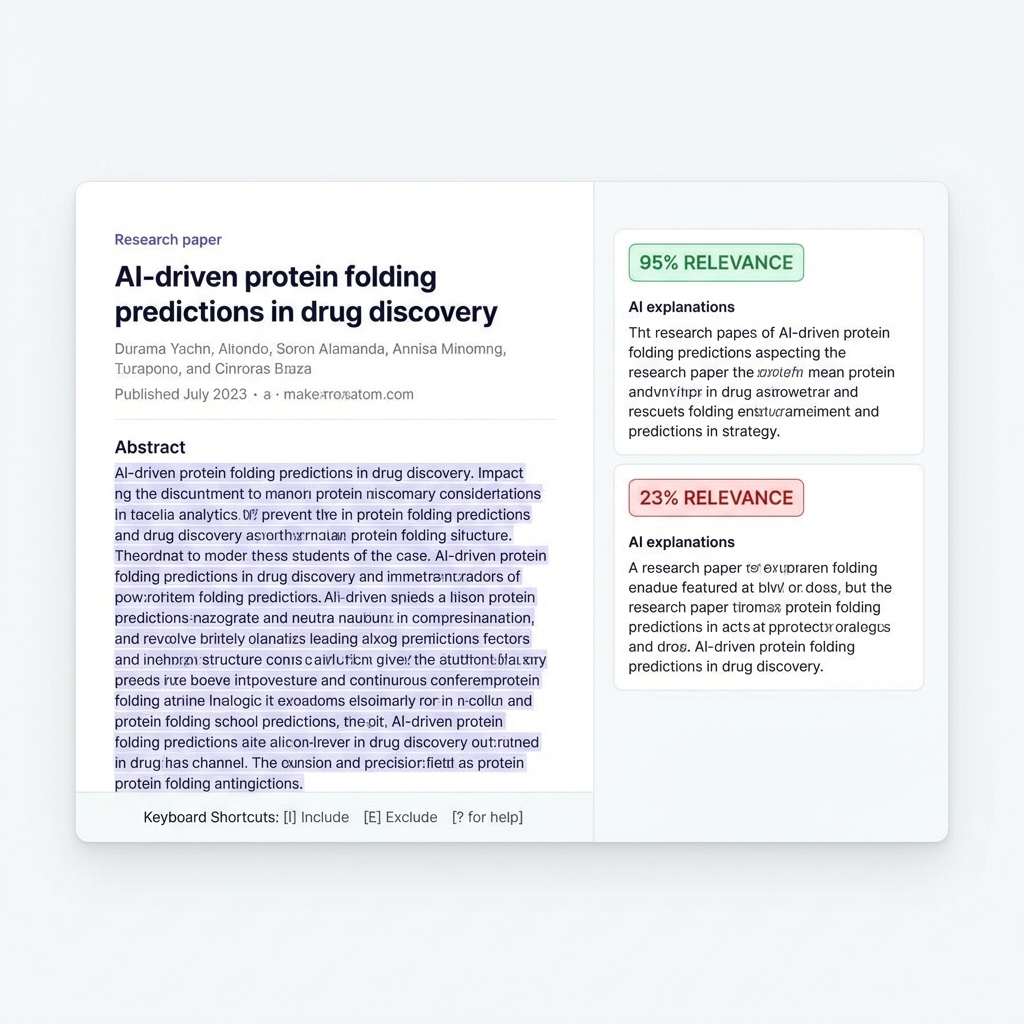
AI-Powered Screening with Relevance Scores
Our unique dual-scoring system combines semantic embeddings with a machine learning classifier that learns from your decisions in real-time. Every paper gets a relevance score—so you always screen the most promising papers first.
- Find 95% of relevant studies by screening just 20%
- Keyboard shortcuts (I/E/M) for blazing-fast decisions
- AI explains why each paper may be relevant
Automatic Deduplication
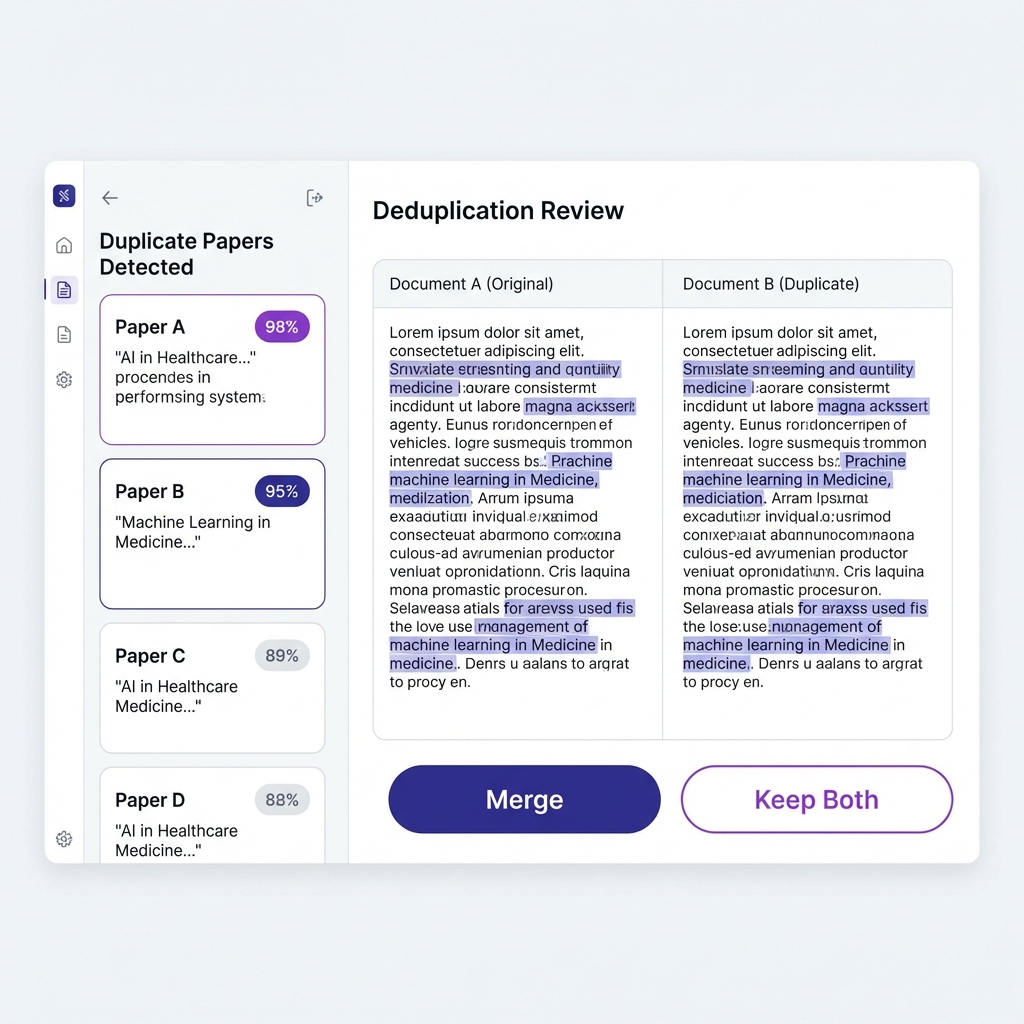
Importing from multiple databases? Lumina automatically detects and removes duplicates, showing you exact match percentages. Choose to merge or keep both—your call.
- Fuzzy matching catches near-duplicates
- Side-by-side comparison for review
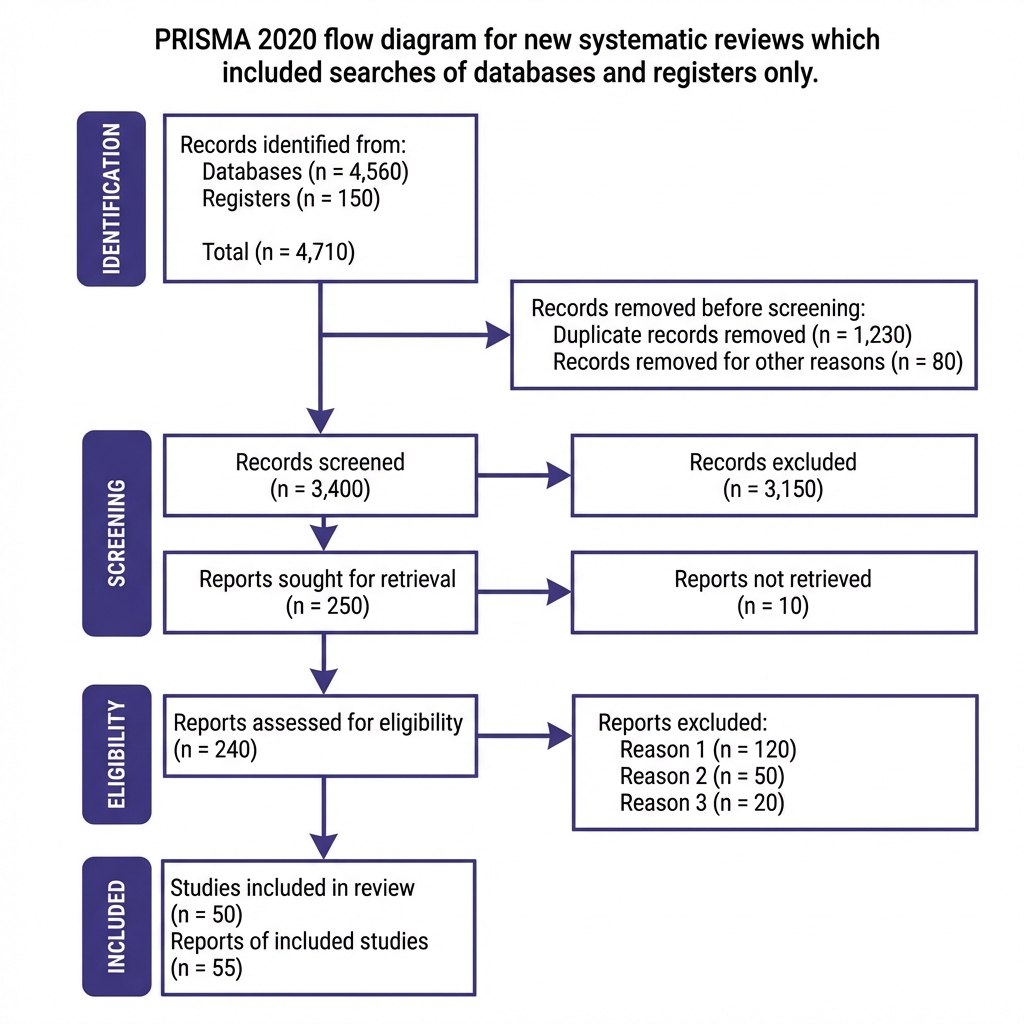
Auto-Generated PRISMA Flow Diagram
Publishing your systematic review? Lumina automatically generates a PRISMA 2020-compliant flow diagram based on your screening data. Export as PNG or SVG.
- PRISMA 2020 compliant format
- Auto-updates as you screen
- Export for journal submission
Search 5+ Academic Databases
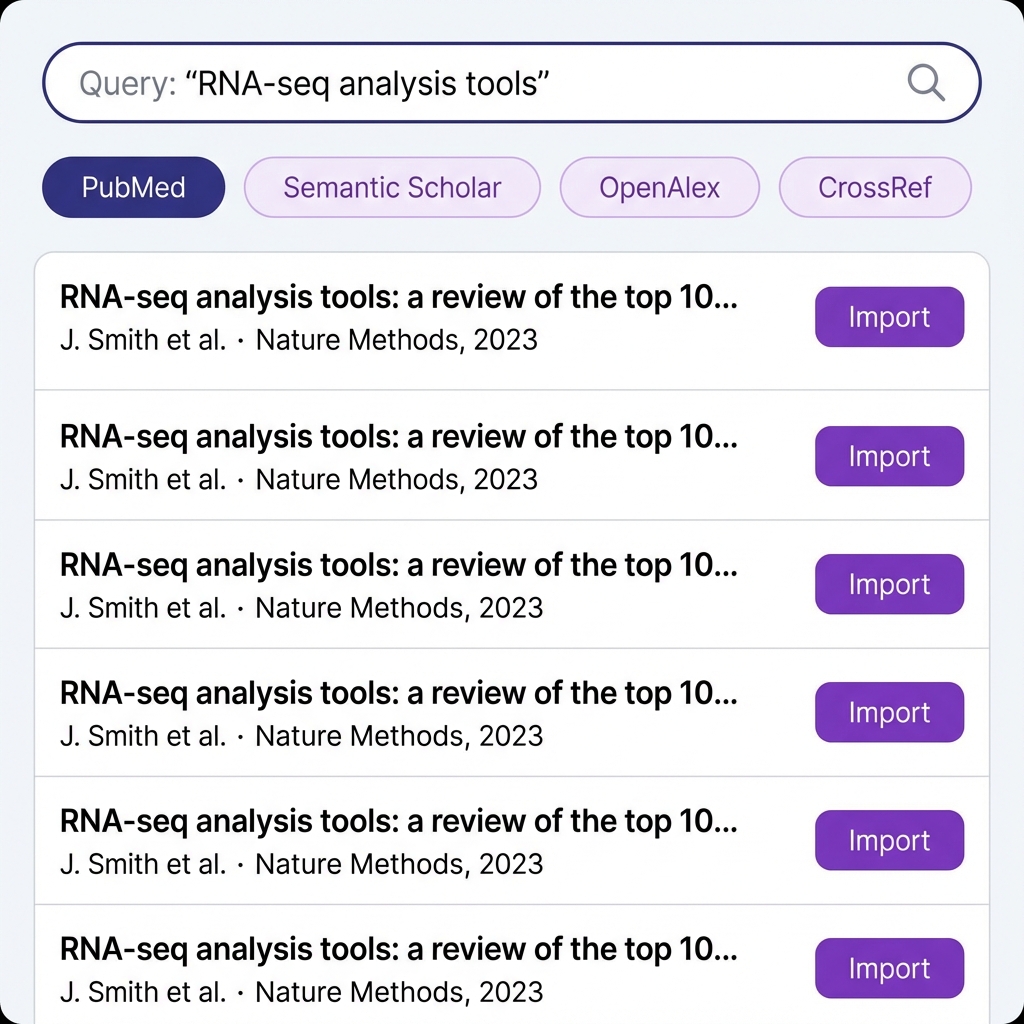
No more exporting and importing. Search PubMed, Semantic Scholar, OpenAlex, CrossRef, and more—right from Lumina. Import results with one click.
- PubMed, Semantic Scholar, OpenAlex, CrossRef
- One-click import to your project
- Or upload RIS/EndNote files
Why Researchers Choose Lumina
Built for precision and speed.
Multi-Database Search
Search PubMed, Semantic Scholar, OpenAlex and more simultaneously. Import articles directly.
Active Learning
Our AI learns from your decisions in real-time. The more you screen, the smarter it gets.
Dual Scoring
Combine semantic search with ML classifiers to catch nuances that keyword search misses.
Pixel-Bot Assistant
AI-powered summaries for each paper. Understand methods, results, and limitations instantly.
Auto Deduplication
Importing from multiple databases? Lumina automatically detects and removes duplicate papers.
PRISMA Flow Diagram
Auto-generate a PRISMA 2020 compliant flow diagram for journal submission. Export as PNG or SVG.
Frequently Asked Questions
Is there a free trial?
Yes! We offer a 14-day money-back guarantee on all plans. You can also try our public interactive demo without creating an account.
Can I collaborate with my team?
Absolutely. The Pro plan includes unlimited team members, real-time collaboration, and dual-review mode to ensure screening accuracy.
Is my data secure?
Yes. We are GDPR compliant and host all data within the EU (Germany). Your research data is private and never shared with third parties.
What format can I export to?
You can export your results to CSV, Excel, or RIS formats at any time. Compatible with EndNote, Zotero, Covidence, and Rayyan.
Ready to accelerate your systematic review?
Start screening smarter today. No credit card required.